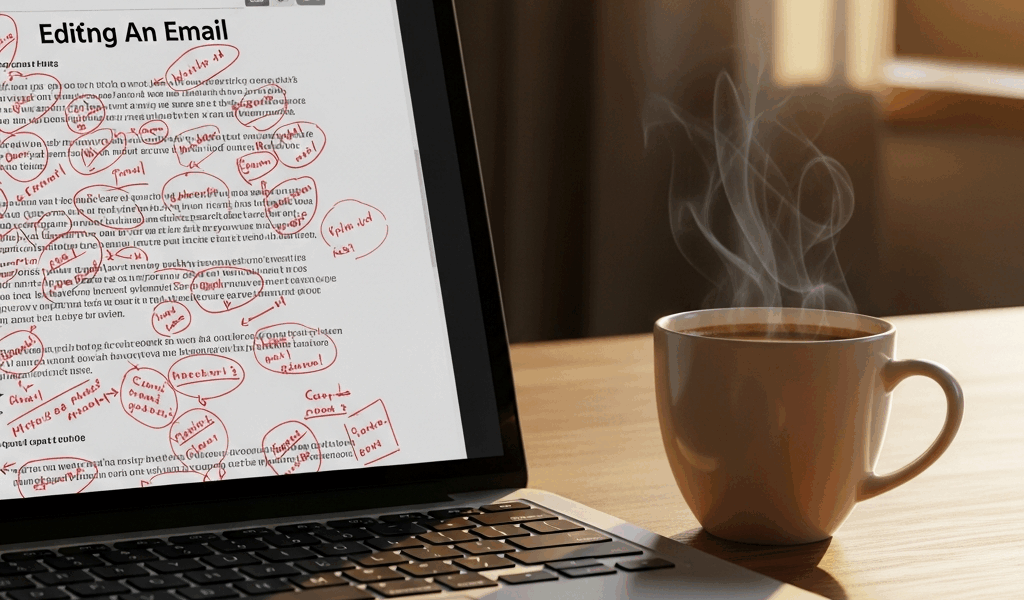
AI Emails Are way more layered than people realize With All the “Looks Fine, Feels Wrong” Confusion Flying Around
You’ve noticed it. An email comes out of your AI tool looking spotless — grammar clean, spelling perfect, structure logical. And yet something about it feels like it crawled out of a corporate HR template at 2 a.m. Not wrong, exactly. Just… not you.
The problem isn’t correctness. It’s tells. Specific, learnable patterns that your recipient’s brain clocks instantly — even when they can’t explain why they’re suddenly holding the email at arm’s length.
So
- Over-explaining why you’re emailing. Real humans assume shared context. AI adds a whole bridge paragraph — “I’m reaching out because I noticed…” — when you’d just say what you want. Nobody opens a text message with “I am contacting you because I wanted to communicate.”
- Generic openers like “I hope this finds you well.” Coffin nail. The second someone reads it, they know. That phrase hasn’t been sincere since roughly 2006.
- Perfectly symmetrical sentence length. AI loves that steady 18-to-22-word rhythm. Humans don’t write like that. Five words. Then twenty-eight. Then nine. It sounds natural that way — like a person, not a content calendar.
- Any sentence starting with “I wanted to.” AI’s favorite hedge. “I wanted to reach out.” “I wanted to follow up.” Real people say “I’m checking in” or just ask the question. They move on.
- Sign-offs that sound like a support ticket closing. “Looking forward to hearing from you. Please let me know if you have any questions.” That’s elevator music. It’s fine and it says nothing.
- Context dumping. AI frontloads information humans would weave in casually or skip entirely. It reads like a briefing document. Conversations don’t open with industry overviews.
I made most of these mistakes when I first started using AI to draft client emails — that was about fourteen months ago. I’d send something that looked polished and get back a reply that felt weirdly stiff. Not angry. Just… distant. Turns out the tells compound. One awkward phrase? Fine. Three of them in a 200-word email? Suddenly you sound like you’re not actually home.
Start With Your Voice Before You Touch the Prompt
Skipping ahead to the part you want.
Most people jump straight to prompting. They type “write me a client email about X” and then get generic output and wonder why it doesn’t sound like them. Of course it doesn’t. The AI has zero evidence of how you actually write.
Do a voice audit first. Open your sent folder. Pull three real emails — not formal announcements, just regular ones you fired off to clients or teammates. Read them through and pay attention to your defaults.
- Do you open with “Hi,” “Hey,” or just launch into the first line?
- How long are your typical opening sentences?
- Contractions — a lot, a few, almost none?
- What’s your actual sign-off? First name only? “Cheers”? “Talk soon”?
- Direct or do you ease into asks?
- Where does your baseline land on the formal-to-casual scale?
Write two or three sentences capturing what you notice. Then put that directly in your prompt.
Instead of: “Write an email to a potential client asking if they want to talk about a web project.”
Try: “Write an email in my voice. I’m direct but not cold. I use contractions. I open with ‘Hey’ and sign off with just my first name. I get to the point fast and I sometimes drop a short sentence by itself for emphasis. Here’s the ask: I want to reach out to a potential client about a web project and see if they’re open to a conversation.”
That context changes everything. You’ll still edit — you always will — but now you’re starting from something that resembles you instead of a $9/month newsletter template.
The Five Lines That Always Need a Rewrite
But what is an AI email tell, exactly? In essence, it’s a phrase pattern so common in generated text that readers recognize it before they consciously know why. But it’s much more than that — it’s a signal that nobody was actually thinking about the specific person on the other end.
Five spots in AI emails need human hands almost every single time. Fix these and you’ve caught about 80% of what makes the thing feel off.
The Opener
AI version: “I hope this finds you well. I’m reaching out because I wanted to discuss a potential opportunity with you.”
Human version: “Hey Sarah — I’ve been watching what you’re building and I think we should talk.”
Two problems in the AI version. First, the greeting nobody has used sincerely since the Obama administration. Second, a bridge sentence explaining that yes, this is an email, and you are the one sending it. Skip both. Just say the thing.
The Unnecessary Context Paragraph
AI version: “As you may know, content marketing has become increasingly important in recent years. Many businesses are looking for ways to improve their online presence and engagement with their audience.”
Human version: “Every team I’ve talked to lately says the same thing — they’ve got a backlog of content ideas and no bandwidth to actually make them.”
AI explains the landscape like it’s doing you a favor. Humans assume you already live in the landscape. They skip to a specific, observed detail — something that shows they thought about you, not just the industry category you belong to.
The “I Wanted To” Hedge
AI version: “I wanted to follow up on our previous conversation to see if you had any updates.”
Human version: “Did you get a chance to look at that proposal?”
Don’t make my mistake of leaving this in. It reads robotic every single time. Ask the actual question. That’s it.
The Call to Action
AI version: “I would greatly appreciate it if you could let me know your availability for a call next week. Please feel free to send over any times that work best for your schedule.”
Human version: “Are you free for 20 minutes next Tuesday or Wednesday?”
Specific beats vague every time. Concrete dates, concrete duration. And “please feel free” is a help-desk phrase — it does not belong in an email from an actual human being trying to have an actual conversation.
The Sign-Off
AI version: “Looking forward to hearing from you. Best regards, Michael”
Human version: “Let me know — Michael”
Short. Assumes you’ll reply. That’s what humans do. That’s what makes the brevity feel natural rather than rude — it implies confidence, not dismissal.
Read It Out Loud Before You Send
I’m apparently a compulsive skipper of this step and I regret it roughly once a week.
After edits, read the email aloud. Not in your head — actually say the words, in your normal speaking voice, at normal speed. Listen for the places where you’d never in your life say those exact words in a conversation. Listen for sentences too long to finish in one breath. Listen for anything that lands stiff or formal or slightly off when it hits your ears.
- Places where the phrasing just wouldn’t come out of your mouth naturally
- Sentences so long you’re running out of air before the period
- Phrases that feel weirdly ceremonial when spoken out loud
- Any moment you slow down because the wording is awkward — that hesitation is data
Your mouth catches what your eyes skipped. Trust it.
A Fast Edit Checklist for AI-Drafted Emails
Two minutes. Eight things. Run this before every send.
- Delete any opener starting with “I hope this finds you well.” Replace it with your actual greeting — the one you found in your sent folder.
- Find every “I wanted to” and rewrite it. Be direct. Ask the question. Make the request. Move on.
- Look for a paragraph explaining the general industry landscape. Cut it or swap it for one specific, observed detail about this person’s actual situation.
- Read the call to action out loud. Concrete or vague? Make it concrete — a specific day, a specific duration, a specific option. Not “let me know what works.”
- Delete filler phrases on sight: “Please feel free,” “I would greatly appreciate,” “as you may know,” “in recent years,” “I wanted to take a moment.”
- Check the sign-off against your real emails. Does it match how you actually close things? If not, fix it.
- Scan for uniform sentence length. If the paragraphs have a steady rhythm — a metronome quality — break it. Add a short sentence somewhere. Vary the beat.
- Read the whole thing out loud one more time. Anywhere you hesitate, that’s your edit cue.
That’s all of it. The difference between an email that sounds like you sent it and one that sounds like you forwarded it from a content farm — eight small checks, two minutes, done.




Leave a Reply